

A typical Simulation Workflow with Simulx
Simulx Overview
Simulx has three sections that create an optimal environment to build and analyse simulations:
-
Definition – create easily new exploration and simulation elements of different types.
-
Exploration – explore different treatments and effects of model parameters on a typical individual.
-
Simulation – simulate a clinical trial using a population of individuals in one or several groups with specific treatment or features and use flexible post-processing tools, clear results and interactive plots for analysis.
The exploration workflow
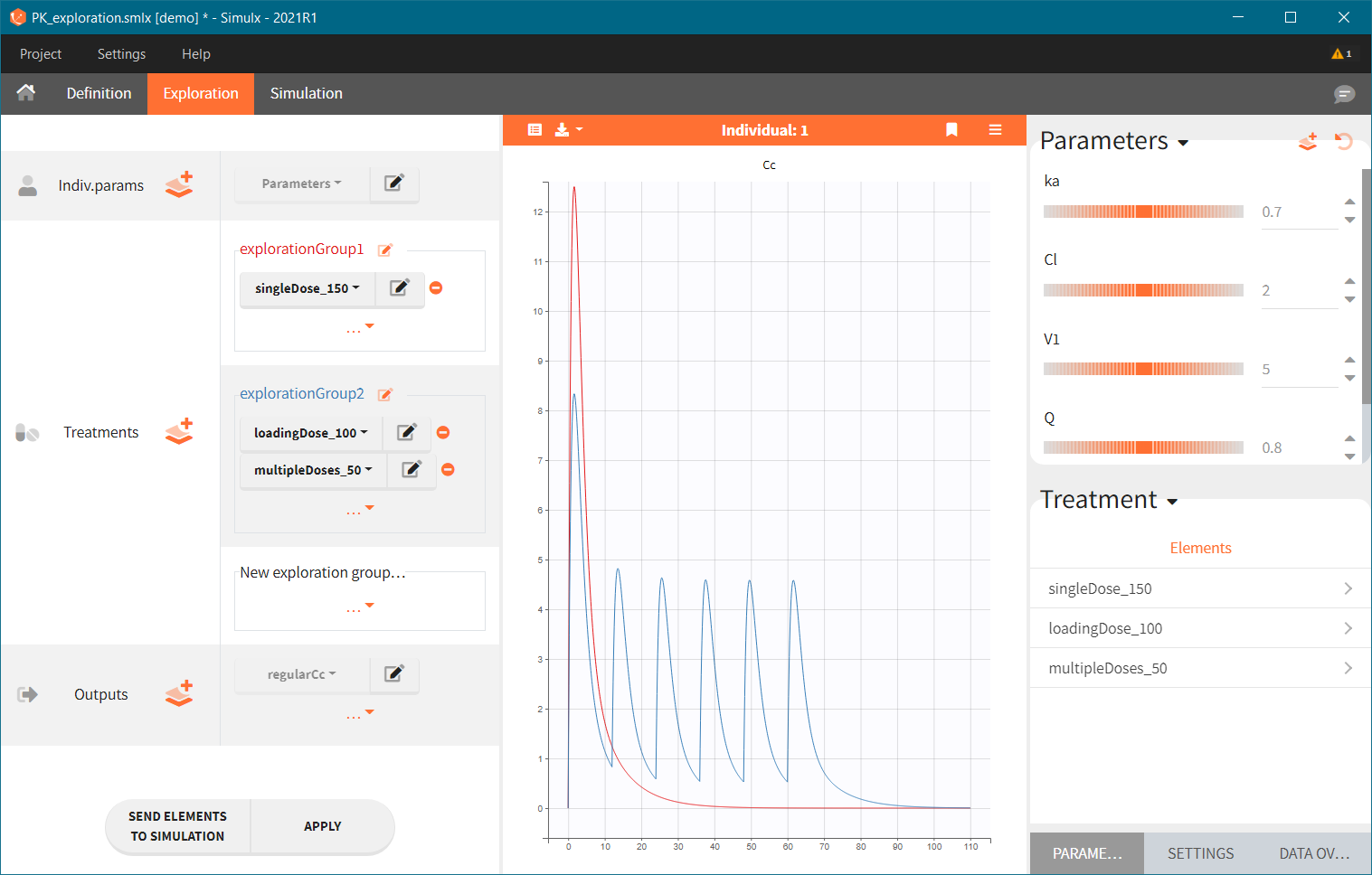
Goals:
-
get a better understanding of how parameters impact your simulations
-
explore the treatments and prepare your simulation design
Steps:
-
Import a Monolix project or Import a PKanalix project or create a New project from scratch
-
add new elements in the Definition tab: dosing regimens, parameters, covariates, outputs, etc.
-
explore effects of model parameters and treatments on a single individual
https://www.youtube.com/watch?v=CRK5D007MEc
The simulation workflow
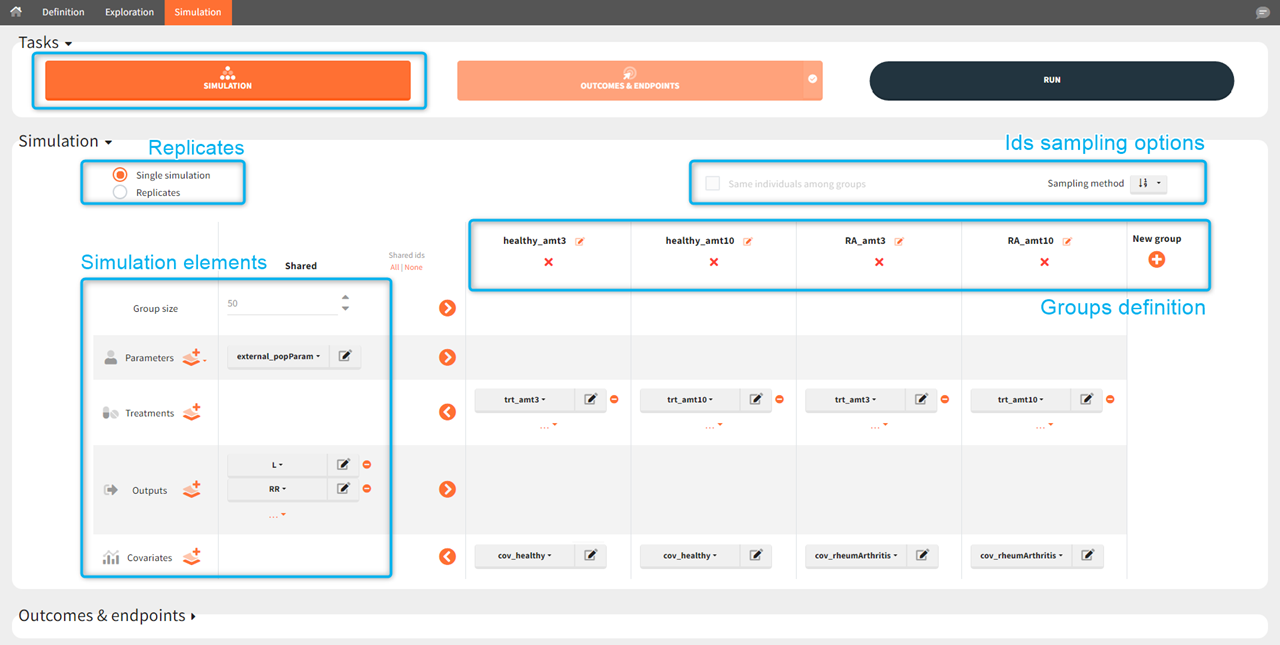
Goals:
-
simulate a population in a new situation, such as a clinical trial
-
get quantitative answers to your questions
Steps:
-
Import a Monolix project or Import a PKanalix project or create a New project from scratch
-
add new elements in the definition tab: dosing regimens, parameters, covariates, outputs, etc.
-
combine defined elements into a desired simulation with one or several groups for comparison
-
(optional) create outcomes & endpoints to quantify the simulations outputs
-
get your answer with automatically generated results and plots