

By default the models from the library do not include a scale factor. Units of the estimated parameters will depend on the units of the data set. For instance:
-
Concentration in mg/L, amount in mg, time in hours => volumes are in L and clearances in L/h
-
Concentration in ng/mL, amount in mg, time in minutes => volume are in 10^3 L and clearances in 10^3 L/min
The files from the library can easily be modified to include a scale factor:
Step 1: load a model from the library.
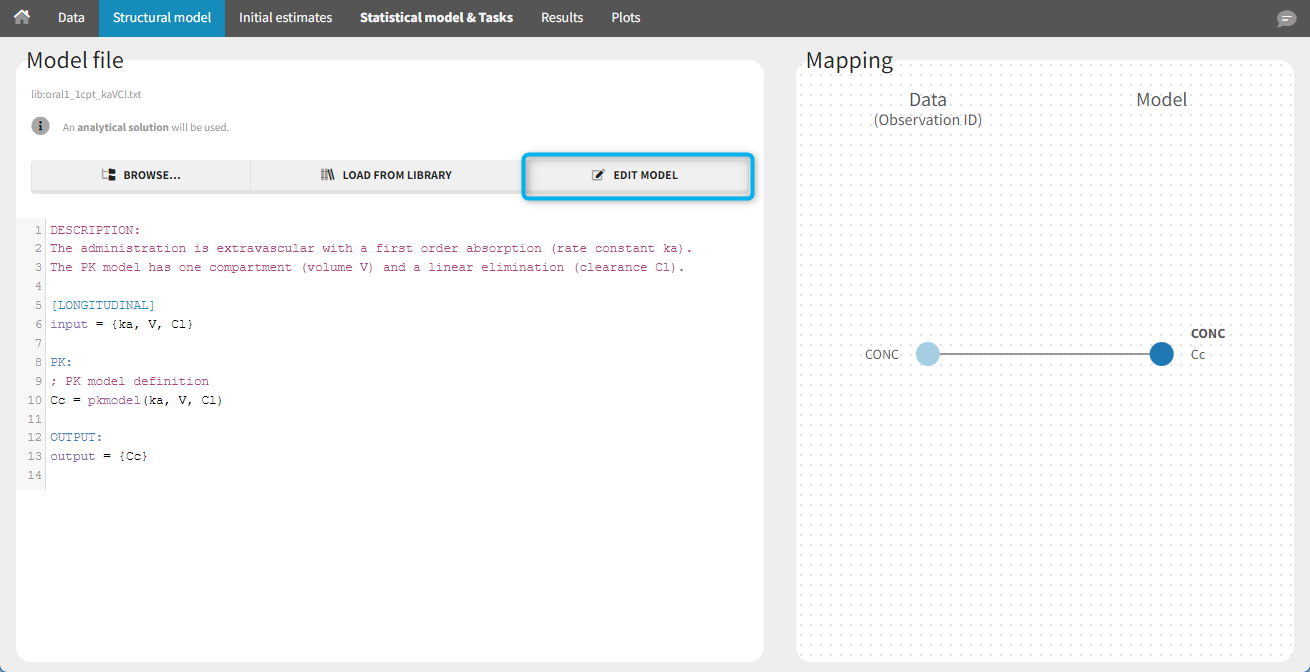
Step 2: in the “Structural model” tab, click “Edit model”.
Step 3: add a scaling of the concentration. If the dose is in mg and I want the volume in L, then the concentration Cc will be in mg/L. If my observations in the data set are in ng/mL (i.e μg/L), I need to multiply Cc by 1000 (green highlight). Do not forget to output the scaled concentration instead of the original one (pink highlight).
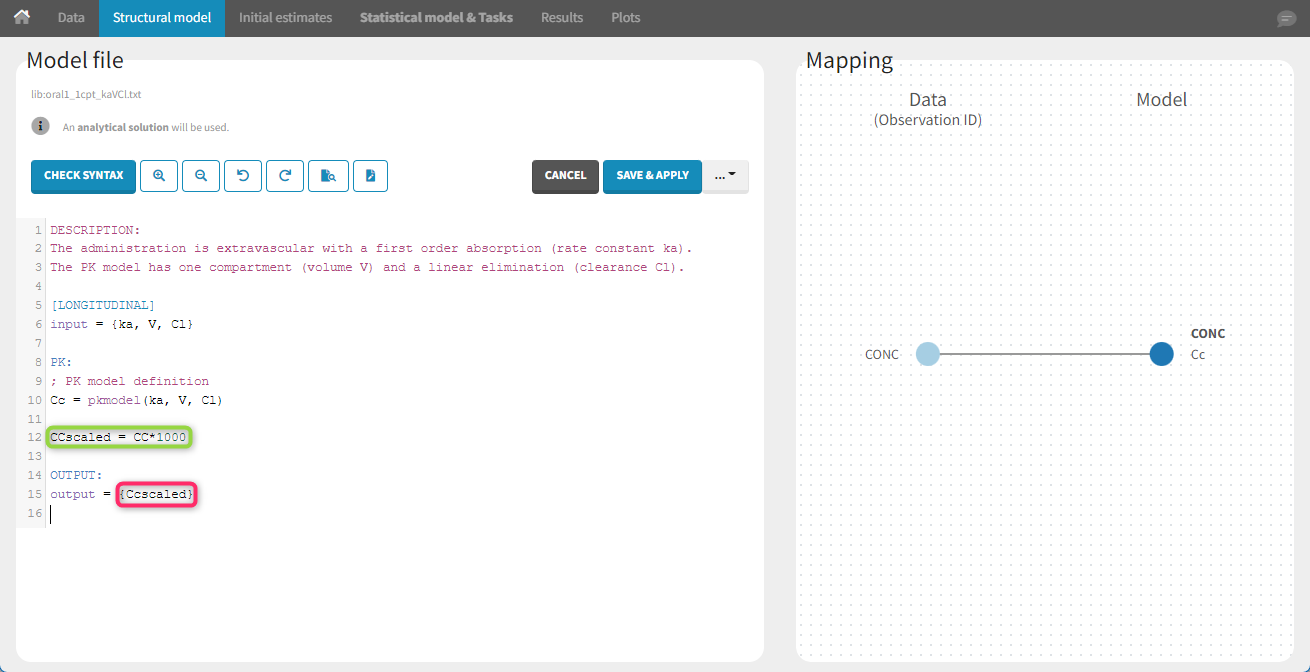
Step 4: save the file under a new name.
Be careful, in versions prior to 2023R1, it is possible to overwrite the library model files when saving edited model files.
Step 5: load the saved model file.