

mlxEditor 
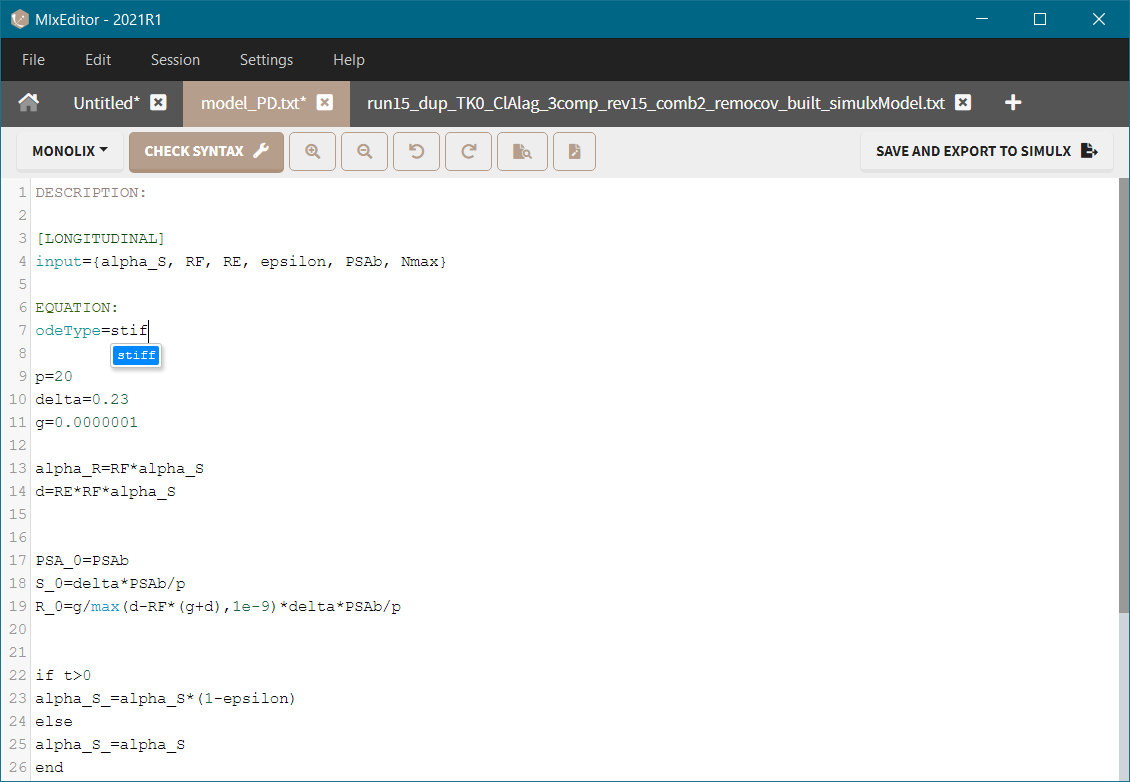
Main functions:
-
Writing models in the mlxtran language.
-
Editing user custom models and models from the Monolix library, which is integrated with the application.
-
Editing models directly in the GUI: Monolix (tab: Structural model), Simulx (Tab: Definition/Model) and PKanalix (tab: Model, CA).
-
Managing models in work sessions.
Main features:
-
Mlxtran syntax coloring for different model elements, such as block definition, parameters, macros.
-
Autocompletion for variables, mlxtran keywords, functions (tab-key accepts a selected item).
-
Find and Find&Replace.
-
Zoom in/out to increase/decrease the font size.
-
Syntax check to verify if the mlxtran code is correct and a model can be loaded in Monolix or Simulx.
In the mlxEditor application:
-
Access to the Monolix libraries,
-
Monolix and Simulx syntax check,
-
Save and export to Simulx,
-
Sessions: collections of models that can be reloaded automatically.
-
In the GUI edit mode:
-
Several saving options: Save & apply – saves the model under the same name (overwrites the previous model) and applies it to the current project, Save as & apply – saves the model under a different name and applies it to the current project, Save as – saves the model under a different name without applying to the current project.
-
Zoom applied in the edition model remains in the “Tab: Structural model” after closing the edition mode.
-